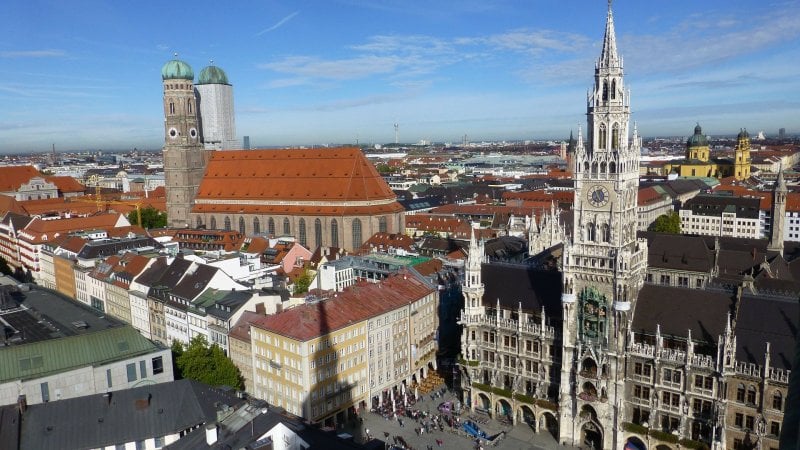
Studieren in München
Wer auf der Suche nach einem Studienplatz ist, hat gute Chancen, in München ein passendes Angebot zu finden. Dieser Blog bietet einen Überblick über die zahllosen Angebote der bayerischen Metropole.
Von der Technischen Universität München über die Ludwig-Maximilians-Universität bis zur Hochschule für angewandte Wissenschaften, von der Munich Business School über die Hochschule für Fernsehen und Film bis zur Akademie der Bildenden Künste: Unzählige höhere Bildungsinstitute sind hier versammelt und locken mit Angeboten für jedes Interesse.
Daneben bietet München den Studenten auch eine sehr angenehme Atmosphäre für ihr Studium und zahllose Biergärten, Museen und kulturelle Einrichtungen, in denen sie sich vom Studienbetrieb erholen können.
Top 3 Studentenstädte in Deutschland
20 Aug 2021

Das Bildungssystem in Deutschland unterliegt einem kontinuierlichen Wandel und wird häufig reformiert. In den letzten Jahren stand vor allem die Umstrukturierung des Gymnasiums an und bei Hochschulen wurde mit der Bologna-Reform das Studiensystem auf Bachelor- und Master-Abschlüsse umgestellt. An öffentlichen Fach-Hochschulen und Universitäten ist das Studium seit 2014 zudem kostenlos. Im Studienjahr 2020 lag die Quote der Studienanfänger in Deutschland vorläufigen Ergebnissen zur Folge bei fast 55 Prozent. Die Quote gibt an, wie hoch dabei der Anteil der Studienanfänger eines Geburtsjahres an der Bevölkerung ist. Ein Studium ist somit immer noch der Favorit vieler Schulabgänger für den nächsten Schritt im Leben. Das ist kein Problem, denn gerade in Deutschland gibt es ein engmaschiges Netz an Hochschulen. In Deutschland werben dabei über 420 zugelassene Bildungseinrichtungen um die Gunst der Studierenden. Der Weg zur nächsten Fach-Hochschule oder Universität ist dabei meist nicht weit. Trotzdem sind einige Städte bei den Studierenden beliebter als andere. Sicherlich ist dabei die Einrichtung als solche ausschlaggebend, aber auch andere Faktoren wie Lebenshaltungskosten, Sport und Kulturangebot spielen dabei eine wichtige Rolle.
Hamburg und Münster sind sehr beliebt
Die Alster Metropole Hamburg ist nicht nur die zweitgrößte Stadt in Deutschland, sondern sie ist auch als Studienstandort sehr gefragt. Recht hohe Mieten sind ein Nachteil, der durch das große Angebot an Grün- und Erholungsflächen wettgemacht wird. Die bekannte Elbphilharmonie ist nur ein Aushängeschild des reichhaltigen und bunten kulturellen Lebens in der Hansestadt. Das Nachtleben Hamburgs ist ebenso legendär und so ist es kein Wunder, dass man in Szene-Bars, schicken Nachtclubs und auch auf der berühmten Reeperbahn auf eine große Zahl von Studierenden trifft. Im Gegensatz zu Hamburg ist Münster bei Weitem keine Metropole. Trotzdem sind Studienplätze hier nicht weniger gefragt. Die Stadt ist relativ übersichtlich und ein Auto ist hier meist nicht erforderlich. Uns Unterhaltung findet man in Münster auch online, zum Beispiel im Online Casino. Münster ist eine sehr Fahrrad-freundliche Stadt und gerade Studierende machen davon viel und gerne Gebrauch. Eine gemütliche Altstadt lädt zum Entspannen nach der Vorlesung ein und zahllose Bistros und Kneipen sind gut besucht. Eine pulsierende Musik und Theaterszene sorgt für interessante kulturelle Impulse und wartet nur darauf, erforscht zu werden.
Berlin, die unangefochtene Nummer Eins
Berlin ist in vielen Belangen Deutschlands Nummer eins. Die größte Metropole des Landes ist gleichzeitig Hauptstadt und auch der beliebteste Standort für Studierende. Egal ob Jura, Modedesign, BWL, Schauspiel oder ein technischer Abschluss an Berlins mehr als 80 Hochschulen kann man beinahe alles studieren. Genauso vielfältig wie das Angebot an Studienrichtungen ist auch das sonstige Leben in Berlin. Die Preise für kleine Studios, Wohnungen oder auch Zimmern in Wohngemeinschaften steigen zwar stetig an, aber sie liegen dennoch weit unter dem Niveau von Hamburg oder München. Besonders beliebt bei Studierenden sind zum Beispiel die Stadtviertel Friedrichshain, Kreuzberg und Prenzlauer Berg. Noch preiswerter wohnt man in Neukölln und Wedding, wo besonders viele Studierende und Wohngemeinschaften zu finden sind. Berlin wird oft auch wegen seines multikulturellen Flairs geschätzt und der manchmal etwas rauere Ton wird liebevoll Berliner Schnauze genannt. Abwechslungsreicher als in Berlin kann das Studentenleben eigentlich gar nicht sein. Nachmittags im Café entspannen und dann abends in den Bars oder Clubs ordentlich feiern. Auch Kunst und Kultur sind nirgends reichhaltiger als in Berlin.
Studium im Süden
18 Dec 2020
Wann auch immer das Studium in München beginnt, manches sollten Uni-Neulinge bereits im Vorfeld planen. Ganz besonders die Suche nach einer bezahlbaren Unterkunft gestaltet sich nämlich oft als schwierig. Dafür dürfen Studenten dann in einer Stadt leben, die bürgerlich und alternativ zugleich ist. Und die rund um die Isar eine grüne Seele hat.
Zum Studium nach München
11 Nov 2020
Die bayrische Landeshauptstadt München hat unter Studenten den Ruf, besonders teuer und abgehoben zu sein. Tatsächlich befinden sich dort mit der TU und der Ludwig-Maximilians-Universität jedoch zwei der besten Hochschulen in Deutschland. Außerdem ist München Studien zufolge die lebenswerteste Großstadt in Deutschland. Dieser Blog informiert über das Studium und schöne Orte in München.
An der Isar ist es schön
4 Oct 2020
München, das ist die Nähe, ja gar die Sichtweite zu den Alpen. München, das sind auch die wilden Ufer der Isar. Und noch vor allem ist die Hauptstadt Bayerns Sitz renommierter Bildungsinstitute wie der Ludwig-Maximilians-Universität-München. Dort können Studenten in einem angenehmen Umfeld Wissen und Lebenserfahrung sammeln.